8 Free Software Alternatives That Will Save You Money (Without Sacrificing Quality)
We’ve all been there. The subscription renewal email hits your inbox, and you realise you’re paying another £100+ a year for software you barely use half the features of.
Here’s the thing: most of us don’t actually need paid software. We think we do because that’s what came pre-installed, or that’s what everyone else uses.
But there’s a whole ecosystem of free, open-source software that does the job just as well — often better. No subscriptions. No feature limits. No telemetry.
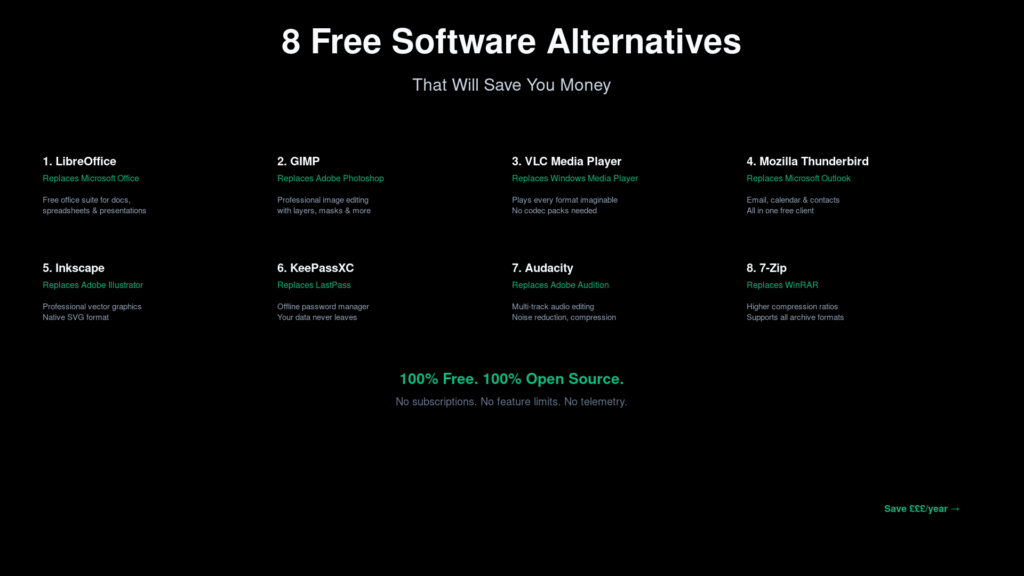
1. Replace Microsoft Office with LibreOffice
LibreOffice is the heavyweight champion of free office suites. It handles Word documents, Excel spreadsheets, PowerPoint presentations, and more with impressive compatibility. The interface feels familiar, the performance is solid, and it runs on Windows, Mac, and Linux equally well. If you’re doing standard office work, you do not need Office 365.
2. Replace Adobe Photoshop with GIMP
Photoshop is incredible, but at £25/month it’s a serious investment. GIMP has been the go-to free alternative for decades. Layers, masks, colour correction, retouching — the core tools are all there. The interface takes a little getting used to, but the toolset is genuinely professional-grade.
3. Replace Windows Media Player with VLC
This one’s almost a cliche — because VLC genuinely is that good. It plays everything. That obscure video format from 2008? VLC handles it. No codec packs, no paid upgrades, no nonsense. It just works.
4. Replace Outlook with Mozilla Thunderbird
If you’re paying for Microsoft 365 mainly for Outlook, stop. Thunderbird is Mozilla’s email client, and it’s been quietly excellent for years. Multiple account support, calendar integration, add-ons, and strong privacy features — all free.
5. Replace Adobe Illustrator with Inkscape
For vector graphics — logos, icons, diagrams — Inkscape is the real deal. It uses SVG as its native format, making your work portable and future-proof. The learning curve is similar to Illustrator, and the community has created excellent tutorials for every skill level.
6. Replace LastPass with KeePassXC
Password managers should be simple and secure. KeePassXC takes the most trusted approach: your passwords never leave your device. No cloud sync, no subscription, no corporate server that could be breached. For those who prefer convenience, Bitwarden offers a similar feature set with official cloud sync, also open source and free.
7. Replace Adobe Audition with Audacity
Need to record a podcast or edit audio? Audacity has been the standard for free audio editing for over two decades. Multi-track recording, noise reduction, compression, equalisation — it’s all there without the Adobe price tag.
8. Replace WinRAR with 7-Zip
7-Zip is objectively better than WinRAR: higher compression ratios, better format support, and fully open source. It handles ZIP, RAR, 7z, TAR, GZIP, and everything else. There’s genuinely no reason to use anything else.
The Bottom Line
Switching to free software isn’t about settling for less — it’s about choosing tools that respect your privacy, your wallet, and your freedom. Every tool on this list is actively maintained, used by millions, and genuinely competitive with the paid alternatives.
Tip: Try one replacement at a time. Start with VLC or 7-Zip (zero learning curve), then move to LibreOffice or Thunderbird when you have an afternoon to set them up.
Download each tool from their official website — every one is free, no subscriptions, no account required.
Looking for more free alternatives? Browse our Alternatives directory for hundreds of open source replacements for popular software.