FOSS Face-Off: Open Source Video Conferencing Compared
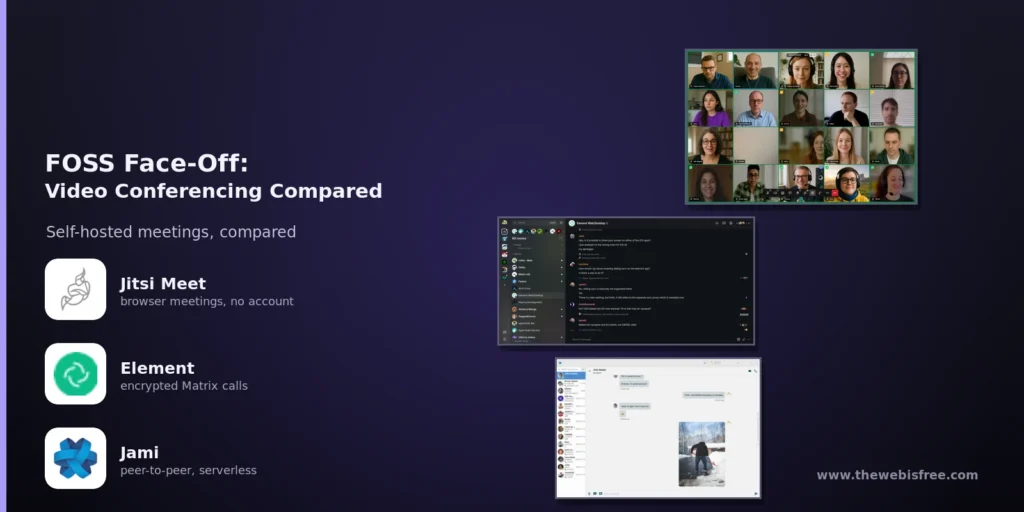
Video meetings have become ordinary — work stand-ups, family catch-ups, community organising, a doctor’s appointment. Almost all of them run through someone else’s servers, where the meeting metadata (who met whom, when, for how long) and often the media itself sit with a company whose interests are not the same as yours. Free and open source software answers the problem in four genuinely different ways: a purpose-built conferencing server, a serverless peer-to-peer app, a calling layer inside an encrypted messenger, and video calls inside a productivity suite you already run.
Here is an honest comparison of the four open source video conferencing options in our directory — Jitsi Meet, Jami, Element and Nextcloud (with Talk) — plus the voice-first and chat-first tools worth knowing about when a full conferencing stack is more than you need. All of them are free, and all of them can be self-hosted.
Jitsi Meet — The Dedicated Conferencing Server
Jitsi Meet is the one to reach for if what you actually want is a self-hosted replacement for Zoom or Google Meet, and nothing else. Meetings run in the browser: participants click a link and they are in the room, with no account, no download and no client to keep updated. Native mobile apps exist for iOS and Android, and there is an Electron desktop client. It is Apache-2.0 licensed, and the stable series is 2.0.x — 2.0.11248 at the time of writing (September 2026).
Under the hood it is a proper conferencing stack rather than a clever hack: Prosody handles signalling, Jicofo focuses the conference, and Jitsi Videobridge is a selective forwarding unit (SFU). Every participant sends one stream and the bridge forwards it to everyone else, which is why Jitsi keeps working as meetings grow instead of collapsing at four people the way mesh calling does.
- Join by link — the default configuration lets anyone with the room URL start or join a meeting; add authentication if you want that restricted to your own users.
- Meeting features — screen sharing, chat, raise hand, polls, breakout rooms, a lobby, per-room passwords and moderator controls such as muting everyone.
- Recording and live streaming — handled by Jibri, which joins as a hidden participant and captures the call with ffmpeg. A single Jibri records one meeting at a time, so busy deployments add more.
- Telephone access — Jigasi is a SIP gateway, so ordinary phones can dial into a meeting and the room can dial out. The same component can produce live captions and transcripts with Vosk, Whisper or a cloud speech service.
- End-to-end encryption, optionally — there is an “End-to-end Encryption” option in the menu secured by a shared passphrase. It is the caveat that matters: E2EE needs insertable streams, which means a Chromium-based browser (Chrome, Edge, Brave, Opera) or Jitsi’s own Electron client — Firefox is not supported. With E2EE switched on the server can no longer decrypt your media, so server-side recording and streaming stop working.
- Straightforward to deploy — official Debian/Ubuntu packages or the docker-jitsi-meet Compose stack. You need 443/tcp for the web interface and 10000/udp for media, plus coturn or another TURN server for participants behind restrictive networks.
Jitsi is the broadest answer here: real meetings, large rooms, dial-in guests, streaming, all on your own domain. If you want one tool that covers “we need video calls, self-hosted”, start and probably finish with Jitsi.
Jami — Calls With No Server At All
Jami takes the opposite approach: it is a GNU project (GPL-3.0 or later) built as a true peer-to-peer platform, with no central server relaying your data. Accounts are X.509 certificates generated on your device and identified by a cryptographic fingerprint — no phone number, no email address, no provider that could log who you called. Peers find each other through a distributed hash table, and calls travel directly between the devices.
It is a full communication platform, not just a dialler: instant messaging, audio and video calls, group calls and conferences, screen sharing, file transfer, video message recording and a built-in call recorder on desktop. Multiple devices can be linked to one account, and Jami can also act as an ordinary SIP client.
- Conferencing without infrastructure — because there is no server, a participant hosts the conference and mixes the audio and video. Jami’s own guidance is roughly 2 Mbit/s up and down per participant (about 1 up, 1 down) for the host, and it recommends no more than 25 participants in a call for a good experience.
- Rendezvous points — you can convert an account into a standing meeting room that automatically gathers everyone who calls it. It needs no camera, so an old machine or a headless Jami daemon can sit quietly as the meeting point for a small group.
- Moderation tools — roles for hosts and moderators, raise hand, muting (both self-mute and moderator mute), and a choice of conference layouts.
- Privacy defaults — incoming calls from unknown contacts are refused by default, so you share a Jami ID with the people you actually want to hear from rather than publishing a link. That is a strength and a friction point: there is no “just send them a URL” equivalent to Jitsi.
- Everywhere — GNU/Linux, Windows, macOS, iOS and Android, with the latest release, Euclid, landing in April 2026.
Jami is the most privacy-preserving option in this comparison and the only one that needs no server to run at all. The cost is scale and convenience: group meetings are limited by the host’s machine and connection, and inviting people means exchanging Jami IDs rather than dropping a link in a chat.
Element — Conferencing Inside an Encrypted Messenger
Element is the flagship client for Matrix, the open, federated protocol for end-to-end encrypted messaging. Encryption is on by default, conversations can span homeservers, and you can point Element at your own Synapse or conduit server so nothing leaves your infrastructure. Where the other projects add calls to a conferencing tool, Element adds conferencing to the messenger your team may already be using.
Calling comes in two layers. One-to-one voice and video calls are built into Element as a peer-to-peer feature. Group calls are handled by Element Call, the Matrix video conferencing application — currently v0.26.1, AGPL-3.0 — which is built on MatrixRTC and uses LiveKit as its SFU backend. Element Call runs as a standalone web app or embedded as a widget inside Element Web and Element X, so a group call happens inside the room where the conversation already lives.
- Scalable group calls — pairing Element Call with a LiveKit deployment gives you E2EE group meetings that scale, which is the closest thing here to “Zoom-grade calls with an open encryption model”. Element has also long supported delegating group calls to a Jitsi widget.
- Encrypted by default — Matrix E2EE covers messages, media and calls, with cross-signing and encrypted key backups so history survives a new device.
- Bridges and Spaces — connect Matrix to Slack, Telegram, IRC, XMPP or WhatsApp, and organise rooms into Spaces with their own permissions.
- Everywhere — web, Linux, macOS, Windows, Android and iOS, including the newer Element X clients built on the Rust SDK.
Two caveats. Participants usually need a Matrix account, so this is not a “send someone a link” experience unless your homeserver has guest access enabled — the opposite trade-off from Jitsi. And group calling at scale means running Synapse and LiveKit, which makes Element the heaviest stack to operate here. Element Call also ships no built-in recorder: recording is an open feature request, and the practical route is LiveKit’s egress tooling or a recording bot that joins as a participant — which, because the call is encrypted, is the only way it can get the keys anyway.
Nextcloud Talk — Meetings Inside Your Own Suite
Nextcloud is best known as the self-hosted answer to Google Drive, but it ships a first-party communications app — Talk — that covers chat, screen sharing, guest links and voice and video meetings, all tied to the same users, files and calendar as the rest of the platform. The server is AGPL-3.0 licensed and the mobile and desktop Talk clients are free.
Its architecture is worth understanding before you judge it. By default Talk calls are peer-to-peer mesh: every participant sends a stream to every other participant, so both bandwidth and CPU grow with the size of the call and the load lands on the participants’ devices. Nextcloud’s own documentation is refreshingly candid about this — a typical installation handles calls of about four to six participants comfortably depending on their connections, and “a call with 20 people without video could be doable” when everyone turns their camera off. It also recommends the native apps on mobile, because mobile browsers run out of power quickly.
- Step up to an SFU when you need to — the Talk High Performance Backend (a selective forwarding unit from Struktur AG) moves the mixing to the server. Nextcloud quotes 30-50 or more active participants on a typical HPB setup, hundreds of passive viewers for one-to-many sessions like webinars or remote lessons, a 50% cut in required upload bandwidth from as few as three participants, plus SIP dial-in integration.
- Recording with consent — call recording is supported but needs both the High Performance Backend and the recording backend; the server can require participants to acknowledge recording before they join.
- Meetings in context — schedule a room from Nextcloud Calendar, share files into the chat, drop a guest link for someone outside the organisation.
- Plan for STUN and TURN — the documentation recommends both so participants on mobile and restrictive networks can connect reliably.
Talk is rarely the reason to install Nextcloud, but if you already run it for files, documents and calendars, it is the cheapest way to get video meetings under the same roof — one login, one user list, one backup, no extra service to babysit.
Also Worth Knowing: Voice-First and Chat-First Options
A full conferencing server is not always what the job needs. Several tools in our directory already have calling built in:
- Mumble — voice chat only, and proud of it. Ultra-low latency, Opus audio, certificate-based identity, fine-grained per-channel permissions and positional audio for games. When audio quality and delay matter and video does not, a self-hosted Murmur server is still hard to beat.
- Dino and Snikket — federated XMPP messaging with voice and video calls. Dino is the clean Linux desktop client; Snikket is the turnkey self-hosted route that gives a family or small group its own private server with invite links and polished mobile apps.
- Rocket.Chat and Mattermost — Slack-style team platforms with built-in audio and video calling and screen sharing, best when the meeting belongs to a channel the team already uses.
- Zulip — topic-threaded team chat that routes video calls and screen sharing through Jitsi.
- Stoat — Discord-style servers, channels and voice rooms for communities, self-hostable and free of ads or data mining.
Head-to-Head
Connection architecture and scale
- Jitsi Meet: SFU (Jitsi Videobridge) — one stream up per participant, so large meetings are practical on modest hardware and bandwidth.
- Jami: peer-to-peer with a mixing host — no server, but the host carries the load; Jami itself recommends staying under about 25 participants.
- Element: LiveKit SFU for group calls, peer-to-peer for one-to-one — scales, but the SFU is yours to run.
- Nextcloud Talk: peer-to-peer mesh by default (four to six with video, up to about 20 audio-only); 30-50+ active participants with the High Performance Backend.
Getting people into the room
- Jitsi Meet: easiest — send a link, no account, nothing to install. Guest links are the default.
- Nextcloud Talk: easy — user accounts, plus guest links for outsiders.
- Element: a Matrix account for each participant unless your homeserver allows guests.
- Jami: most restrictive — you exchange Jami IDs and call a contact, rather than publishing a URL.
End-to-end encryption
- Jami: always on, and there is no server in the path to trust in the first place.
- Element: on by default for messages, media and MatrixRTC calls.
- Nextcloud Talk: end-to-end encrypted calls available from the Talk clients.
- Jitsi Meet: optional passphrase-based E2EE, but Chromium-based browsers or the Electron client only (Firefox is unsupported), and it disables server-side recording while active.
Recording and streaming
- Jitsi Meet: the strongest — Jibri records and streams to a platform like YouTube, one meeting per Jibri instance; Jigasi adds transcription.
- Nextcloud Talk: recording supported with the High Performance Backend plus the recording backend, with participant consent prompts.
- Jami: built-in call recording on the desktop client, stored locally.
- Element: no built-in recorder — an open feature request; expect to wire up LiveKit egress or a participant bot yourself.
Self-hosting effort
- Jitsi Meet: moderate — packages or Docker, open 443/tcp and 10000/udp, ideally add TURN. Recording and SIP are extra components.
- Nextcloud Talk: moderate if Nextcloud is already running; the High Performance Backend, recording backend and TURN are additional moving parts.
- Element: heaviest — Synapse (or conduit) for Matrix itself, plus a LiveKit deployment for scalable group calls.
- Jami: none by default. There is nothing to host; a JAMS or headless rendezvous daemon is optional if you want a managed account or a standing room.
Which One Should You Pick?
Choose Jitsi Meet if you want self-hosted video meetings that behave like the commercial services: link-based joining, no accounts for guests, breakout rooms, recording, streaming and phone dial-in. For most organisations this is the answer, and it is the most complete conferencing product of the four.
Choose Jami if privacy is the point. Nothing is relayed through a server, no phone number or email address is required, and calls refuse strangers by default. It suits individuals, families, and people whose communications have to be unfindable — accepting smaller meetings and the occasional extra step of exchanging IDs.
Choose Element if your conversations already live in Matrix, or you want one encrypted platform for messaging and meetings with bridges to the tools your contacts still use. Budget for running LiveKit as well as your homeserver, and pick another tool for recording.
Choose Nextcloud Talk if you already run Nextcloud, or you want files, documents, calendars and meetings under a single login. Add the High Performance Backend once your calls grow past a handful of people with video on.
The Bottom Line
There is no single winner, because these four are not really the same product. Jitsi Meet is the best pure video conferencing tool here: an SFU that scales, link-based joining with no accounts, recording, streaming and SIP access, Apache-2.0 licensed and deployable from official Docker images this afternoon. Jami is the most private — genuinely serverless, end-to-end encrypted by design, and comfortable for small group calls as long as the host has bandwidth. Element is the best fit if you are building on Matrix, with encrypted group calls through Element Call and LiveKit and the richest ecosystem around it. Nextcloud Talk wins on integration: no rival puts a meeting one click away from the file it is about.
Pick Jitsi if you want meetings, Jami if you want secrecy, Element if you want an encrypted platform, and Nextcloud Talk if you want everything in one place. Then host it yourself.
They are all free: get Jitsi Meet at jitsi.org, Jami at jami.net, Element at element.io, and Nextcloud at nextcloud.com — no subscriptions, no accounts required, no cloud tie-in.
Looking for more? Browse our Communication directory for more free and open source tools.