Darktable 5.0.1: The Free Lightroom Alternative for Raw Photography
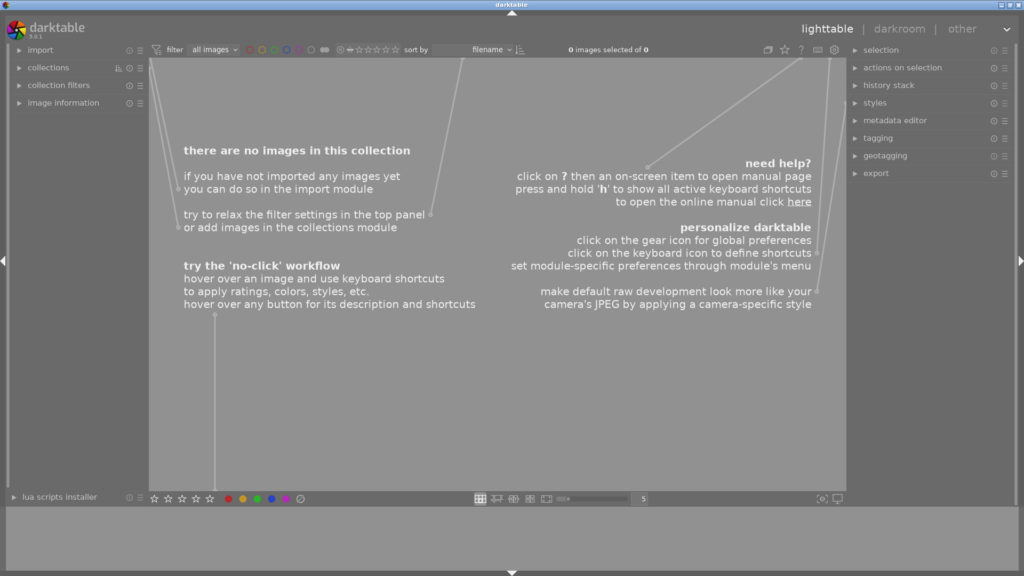
What Is Darktable?
Darktable is a free and open-source photography workflow application and raw processor. Think of it as a virtual lighttable and darkroom for managing and non-destructively processing RAW images — the primary free alternative to Adobe Lightroom.
Version 5.0.1, released in December 2024, continues darktable’s legacy as one of the most powerful raw development tools available on any platform. Whether you are an amateur photographer or a professional, darktable gives you complete control over your edit without a subscription.
Scene-Referred Processing: Scientifically Superior
Unlike Lightroom and Capture One (which use display-referred pipelines), darktable operates on a linear, physically accurate scene-referred pipeline. This means colour and exposure calculations happen in a mathematically correct colour space before any display adjustments. The result is superior handling of extreme exposure adjustments, highlight recovery, and colour grading — particularly noticeable when pushing shadows or recovering highlights.
80+ Non-Destructive Editing Modules
Darktable’s darkroom mode offers over 80 modules that you can apply, reorder, and tweak at any time. No original pixel data is ever altered. The history stack keeps every edit you make, letting you rewind or branch at any point. Modules include:
- Filmic RGB — Scene-referred tone mapping for natural contrast and saturation
- Color Balance RGB — Professional colour wheels for shadow, midtone, and highlight grading
- Denoise (profiled) — AI-assisted noise reduction using camera-specific profiles
- Lens Correction — Automatic correction for over 300 camera/lens combinations
- Retouch — Healing and cloning tools for spot removal
GPU-Accelerated Performance
Darktable leverages OpenCL to offload processing to your GPU. Demosaicing, wavelet denoise, local contrast, and many other operations run significantly faster with GPU acceleration — often outperforming paid alternatives in raw processing speed. On a modern GPU, editing 50-megapixel RAW files feels responsive and fluid.
Powerful Masking System
Darktable’s masking goes far beyond simple gradient or brush masks. You can combine drawn masks with parametric masks (based on pixel colour or luminosity) and channel-based conditions. Masks are fully non-destructive and can be shown as coloured overlays for precise editing — a feature that professional photographers rely on for complex composites and local adjustments.
Who Is Darktable For?
- Amateur photographers who want professional tools without a subscription
- Professional photographers seeking a cross-platform raw workflow
- Linux users who need a native, powerful photo editor
- Privacy-conscious users who want their edits to stay on their own machine
The Bottom Line
Darktable is not a simplified alternative to Lightroom — it is a different approach to raw processing that offers genuine advantages in image quality and flexibility. The learning curve is steeper than Lightroom, but the results speak for themselves. It is actively maintained, completely free, and used by professionals worldwide.
Download it at darktable.org — it is free, no subscriptions, no account required.
Looking for more creative tools? Browse our Creative & Multimedia directory for GIMP, Krita, Inkscape, and more free creative software.