KnowNote vs AnythingLLM vs PrivateGPT — Best Open Source NotebookLM Alternatives
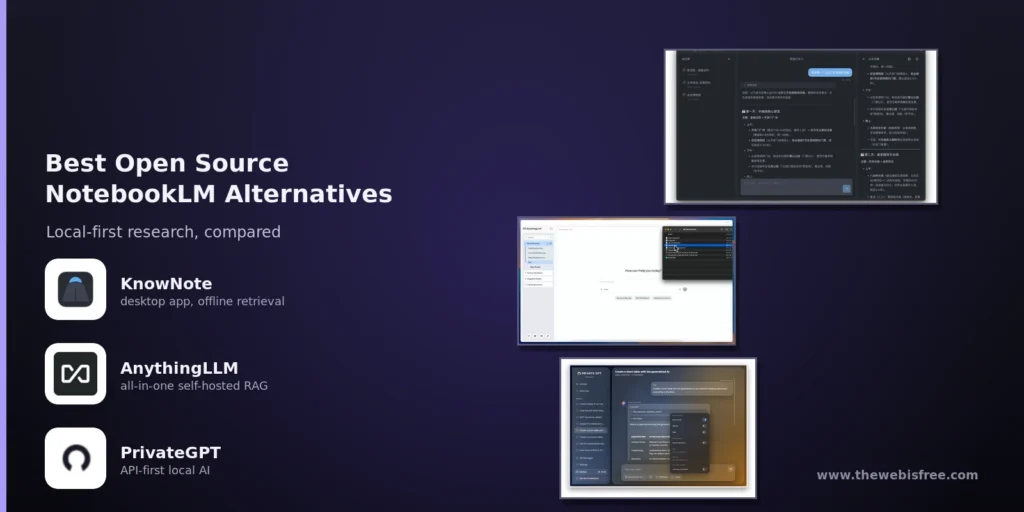
Google’s NotebookLM turned “chat with my documents” into a mainstream idea, but every query you send to it runs against Google’s cloud. If your sources — research papers, client files, NDAs, personal notes — shouldn’t leave your machine, you need a local alternative. The good news is that free, open source options now cover that job well, at three very different levels of ambition: a finished desktop app you just install, an all-in-one self-hosted platform, and a developer toolkit you build your own product on.
Here is an honest look at the three open source NotebookLM alternatives in our directory — KnowNote, AnythingLLM and PrivateGPT — and how to pick between them.
KnowNote — The Quick Desktop Alternative
KnowNote is a desktop research workspace built as a direct NotebookLM alternative: import your documents, ask questions in your own words, and every answer comes back carrying the passage it was built from. The retrieval happens entirely inside the application — the embedder is bundled, the vectors live in a local SQLite file, and nothing is uploaded. It is GPL-3.0 licensed, young (v1.5.3 at the time of writing, October 2026), and the work of a single maintainer.
- Attractively simple — there is nothing to deploy and no server: download an installer, open it, add a model connection and start reading.
- Genuinely offline retrieval — import and search documents with the network off; only the final answer request touches whichever model endpoint you configured.
- Passage-level citations — answers point at the exact passage and character offset they were built from, not just “see this file”.
- Multi-format import — PDF, Word, PowerPoint and web pages, each through its own parser so structure survives.
- Read-only MCP export — serve your library to a local coding agent (Claude Code, Codex, Cursor) over stdio MCP.
The trade-offs matter. KnowNote has no Linux or Intel-Mac build (Apple Silicon and Windows x64 only), the downloads are unsigned, it is single-user by design, and it relies on your own model connection rather than shipping a chat model. For a security-conscious individual on Windows or Apple Silicon, it is the shortest path to a NotebookLM-style workflow.
AnythingLLM — The All-in-One Self-Hosted Platform
AnythingLLM is a fully open source, all-in-one AI application that runs on your machine or a server. It bundles RAG chat over your documents, AI agents, a developer API and — uniquely — a completely private default stack: model, embedder, vector database, chats and documents all live locally until you choose to connect an external provider. Built by Mintplex Labs under the MIT licence, it has a large community behind it (64k+ GitHub stars).
- Local-first by default — everything runs locally out of the box; no accounts, no API keys, no token limits.
- Multi-user self-hosting — run the Docker server so a whole team shares one private workspace.
- Bring-your-own model — Ollama, LM Studio or the bundled local provider, or enterprise models from OpenAI, Azure, Bedrock and Anthropic.
- RAG with sources — chat over PDFs, Word docs, CSVs and even whole codebases, with citations.
- AI agents and custom tools — build workflows without writing boilerplate.
- Developer API — use it as a local backend for your own applications.
AnythingLLM is the most configurable of the three — which is its strength and its cost. There is a real choice of vector databases and providers to manage, and while the desktop app is a simple install, getting multi-user sharing right means running the Docker stack. It suits individuals who want headroom to grow into a team setup.
PrivateGPT — The Developer Toolkit
PrivateGPT is not really an end-user notebook. It is an open source API layer that turns local models into private AI applications: a standard messages API, document ingestion, RAG with citations, embeddings, custom tools, MCP connectors and structured access to databases and CSVs. It connects to any OpenAI-compatible inference server (Ollama, llama.cpp, vLLM) and is Apache-2.0 licensed, maintained by the Zylon team. It began as the viral 2023 proof-of-concept for chatting with your own documents fully offline, and has crossed 50,000 GitHub stars.
- Claude-API-compatible surface — streaming, async batch, token counting, extended thinking and structured output.
- Agentic RAG — grounded question-answering over your private data, ready to embed in your own app.
- Built-in tools — web search, web fetch and code execution, mirroring the Claude API.
- MCP and custom tools — extend the API with your own tools and external servers.
- Database and CSV access — structured queries and text-to-SQL over your data.
- Includes a demo UI — a workbench at
/uifor testing, even though the API is the real product.
PrivateGPT gives developers total control and zero lock-in, but that power is the trade-off: there is no polished end-user notebook UI, and running it well assumes you are comfortable with Python, model servers and containers. It is the right answer when you are building a product, not when you just want to read your papers tonight.
Head-to-Head
Ease of setup
- KnowNote: easiest — download, install, add a model connection. No server, no config file.
- AnythingLLM: easy as a desktop app; a Docker deployment once you go multi-user.
- PrivateGPT: hardest — pip/uv, Homebrew or Docker, plus an inference server for the model.
Privacy and local-first
- KnowNote: strongest for the individual — retrieval is fully offline, only the answer request leaves the machine.
- AnythingLLM: private by default, and stays private unless you opt into external providers.
- PrivateGPT: fully local by construction — it exists so your data never leaves your hardware.
Who it serves
- KnowNote: one person on Windows or Apple Silicon who wants a finished notebook, fast.
- AnythingLLM: individuals and teams who want a configurable, growing platform.
- PrivateGPT: developers building a private AI product or service.
Offline retrieval
- KnowNote: yes — the embedder is bundled and runs in-process with the network off.
- AnythingLLM: yes — the whole stack runs locally by default.
- PrivateGPT: yes — with citations, designed for fully offline operation.
Which One Should You Pick?
Choose KnowNote if you are an individual on Windows or Apple Silicon who wants the quickest path to a local NotebookLM — an app that opens, reads your documents offline, and cites its answers, with nothing to deploy. Accept that it is early-stage, unsigned and single-user.
Choose AnythingLLM if you want a private RAG workspace with room to grow: the easiest way to move from a personal tool to a small team sharing one self-hosted installation, with the widest choice of models and vector databases.
Choose PrivateGPT if you are a developer embedding private RAG into your own application or service and want the control of a full API layer on local models — and are comfortable running it.
The Bottom Line
All three keep your documents out of the cloud, which is the whole point of a NotebookLM alternative. KnowNote is the direct, humane answer for most individuals — the closest thing NotebookLM itself would be if it were local. AnythingLLM is the workhorse for anyone who wants configuration headroom and the option of team sharing. PrivateGPT is the developer pick, powerful but demanding. And if you ever want to compare them with the hosted original, KnowNote’s own site has a thoughtful NotebookLM comparison — the honest source for the trade-offs.
They are all free: get KnowNote at knownote.pages.dev, AnythingLLM at anythingllm.com, and PrivateGPT at github.com/zylon-ai/private-gpt — no subscriptions, no accounts, no cloud required.
Looking for more? Browse our AI & Machine Learning directory for more free and open source tools.