Kavita vs Komga vs Calibre-Web — Best Self-Hosted E-book & Comic Server Compared
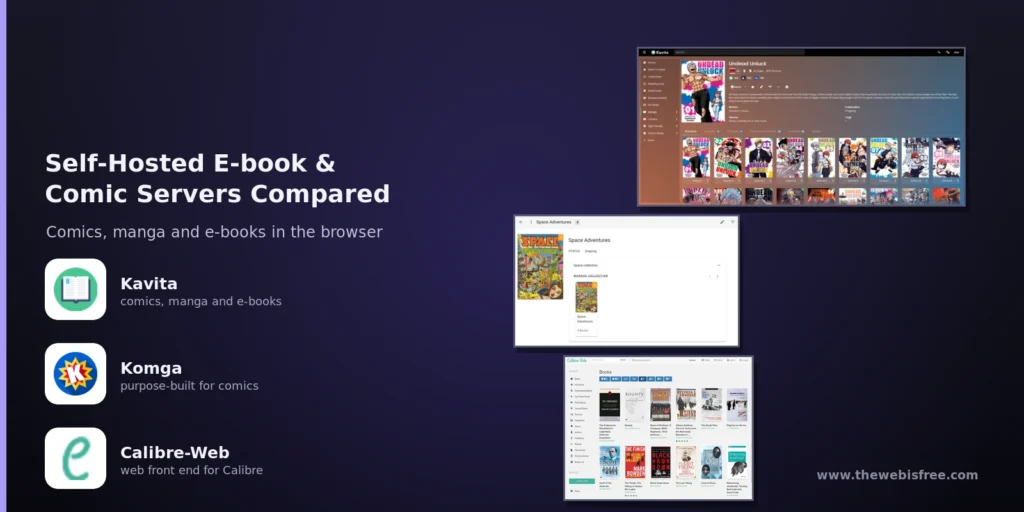
If you keep comics, manga and e-books on a home server, you have probably hit the same wall: a folder full of CBZ and EPUB files and no pleasant way to read them. A file browser works until you want covers, reading progress, or a second person on a tablet.
Three open source projects dominate that niche: Kavita, Komga and Calibre-Web. They sound interchangeable and they are not. All three run in a single Docker container and all three speak OPDS so third-party reader apps work — the difference is what each was built to be good at.
Kavita — One Server for Everything You Read
Kavita is the generalist. It scans your folders directly, needs no external tool to prepare them, and handles comics, manga, light novels, e-books and PDFs from one interface. Written in C# with an Angular front end and released under the GPL-3.0, it is the youngest of the three and the fastest moving.
- Mixed formats — CBZ, CBR, CB7, EPUB and PDF in one library, with separate library types (Manga, Comic, Book) that change the parsing rules and the reader.
- A real EPUB reader — Font selection, margins, line height, themes and a working table of contents that remembers your position.
- Multi-user with restrictions — Per-library access plus age-based content restrictions — workable as a family server.
- OPDS and OPDS-PS — Works with Mihon and other OPDS-aware readers on phones and tablets.
Two caveats. Scanning can be slow on very large collections, and Kavita+ is a paid tier that unlocks scrobbling to AniList and MyAnimeList plus external metadata matching. The core server stays open source, but a workflow built around those extras has a bill attached.
Komga — Purpose-Built for Comics and Manga
Komga is already in our directory — see the Komga listing. It is the specialist: a Kotlin/JVM media server for comics, manga, BDs and magazines, MIT licensed, with an obsessive focus on the comic reading experience.
- Excellent comic reader — Single page, double-page spread, webtoon strip, fit-to-width and fit-to-height, with proper right-to-left support for manga.
- Serious metadata handling — Pulls from ComicVine, AniList, MyAnimeList and MangaDex, and reads ComicInfo.xml embedded inside your archives.
- Duplicate detection — Finds the three copies of volume 4 you have accumulated, which no other tool here does well.
- Kobo Sync and KOReader Sync — Point a Kobo at your instance and it appears in the device’s own library UI, with reading position synced back. No sideloading, no Calibre.
- Full API — A documented OpenAPI spec plus a first-class Mihon/Tachiyomi extension for Android.
The trade-off is weight. As a JVM application it idles around 400–500 MB of RAM. Books are second-class citizens too: Komga reads EPUB, but treats it as something it also supports rather than something it is good at.
Calibre-Web — The Web Front End for Your Calibre Library
Calibre-Web is a different animal. It is not a standalone server — it is a Python/Flask web interface over an existing Calibre library, reading the same metadata.db the desktop application writes. If Calibre is already how you manage your books, this is the natural way to serve them. GPL-3.0 licensed.
- Books first — The strongest of the three for EPUB, PDF, MOBI and AZW3, with Calibre’s format conversion available in the background.
- Send to Kindle — Email a book straight to your Kindle or e-reader, a feature neither Kavita nor Komga offers.
- Mature and light — Around a decade of development and the smallest footprint here, often under 100 MB of RAM idle.
- Broad metadata sources — Google Books, Amazon and the wider Calibre plugin ecosystem.
- OPDS, shelves and per-user libraries — Multi-user accounts with permission control, plus Kobo device sync.
Two real costs. It depends on Calibre, so a fresh install means creating a library first. And comic support is weak: CBZ and CBR open, but without the spread, strip and RTL modes that make comics readable.
Which One Should You Pick?
Choose Kavita if: your library is mixed — comics plus manga plus novels — and you want one server for all of it with a modern browser reader that works well on a tablet.
Choose Komga if: comics and manga are your library, you want the best reader and metadata tooling for those formats, you own a Kobo, or you want no commercial tier anywhere in the picture.
Choose Calibre-Web if: you are already a Calibre user, EPUB is your main format, and send-to-Kindle matters to you.
Running two of them is a perfectly sane answer: Komga for comics, Calibre-Web for books, both reading the same files from a read-only mount. Splitting by content type removes the compromise entirely.
The Bottom Line
There is no single winner, only a right answer for your shelf. Kavita is the best all-rounder and the safest first install if you are starting from scratch. Komga is the better tool when comics are the point. Calibre-Web is the right answer when Calibre already anchors your library.
Whichever you choose, do the metadata work first. Kavita and Komga both read ComicInfo.xml from inside your archives and fall back to parsing filenames when it is missing — and filename parsing gets creative in ways you will not enjoy.
Looking for more self-hosted software? Browse our full directory of free and open source tools — and if a tool you rely on is missing, submit it here.